Fortera · Guide

Coaching mode — how it works

Real screens from the app: the coach builds a program for the client, the client adds it to their plan and films an exercise for review, and the coach watches the form and leaves a comment with a verdict.

A coach and a client at the gym Coach and client — in one app
Overview

Two sides of the same screen

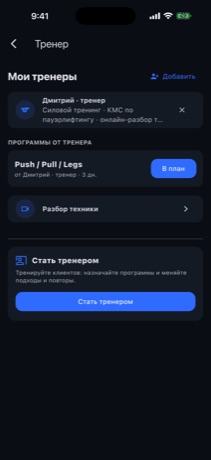
The Coach tab works for both coach and client — which mode you get depends on who is signed in.
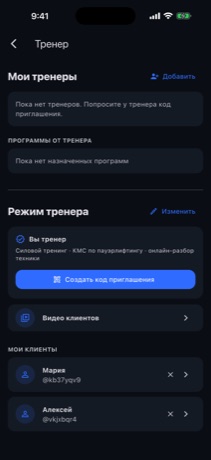
For the coach: clients, the invite code and the way into Client videos.
For the client: their coach, the assigned program and Form review.
1The coach builds a program

Days, exercises, sets and reps

The coach puts together a program for the client: picks exercises from the catalog, sets the sets and reps and, optionally, a suggested schedule. Then assigns the program to the client.
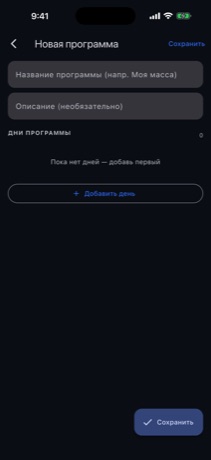
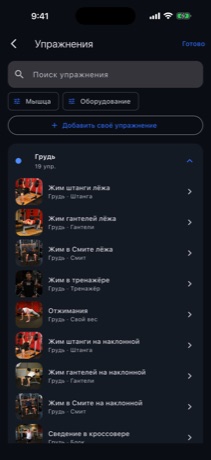
The program builder: name and days.
The exercise catalog with photos — by muscle group and search.
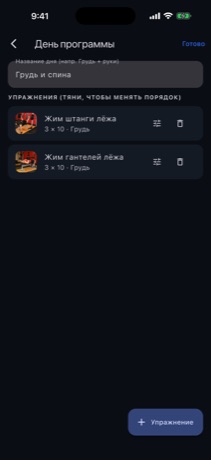
A day with its exercises and sets/reps (editable).
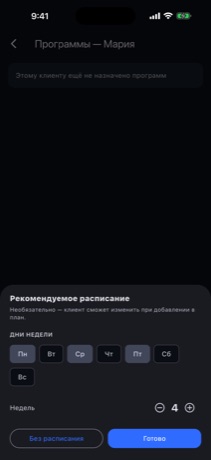
The suggested schedule: days of the week and number of weeks.
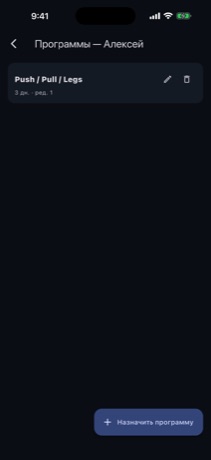
The client's programs on the coach's side — editable or removable.
2The client adds it to their plan

One tap and the program is in the calendar

The client sees the program from their coach and adds it to their plan. The coach's schedule is filled in already — accept it as is, or bend it around your own week.
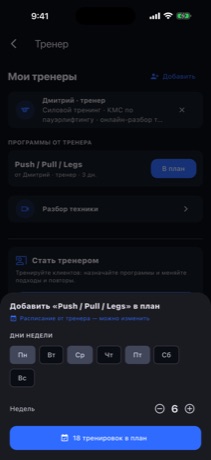
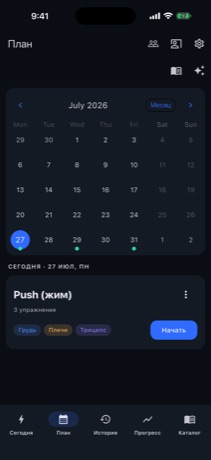
“Add to plan” — the coach's schedule is already filled in and can be changed.
The program is in the calendar — today's workout with a Start button.
3The client films and sends a video

An exercise video — for a form review

The client records a set and sends it to the coach. The video goes straight to cloud storage, and lands in the coach's Client videos.
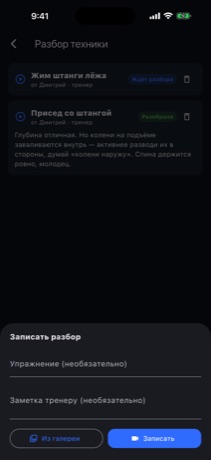
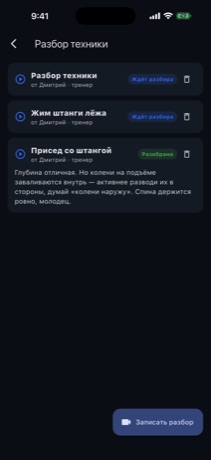
The upload form: exercise, a note for the coach, camera or gallery.
Video uploaded and “Sent to coach” → “Awaiting review”.
4The coach reviews the video

Watches the form and writes a comment

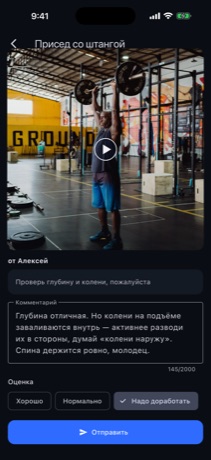
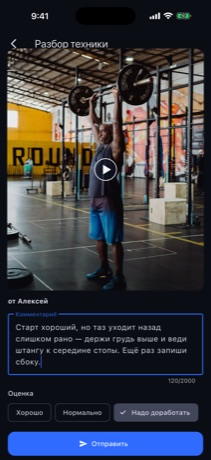
The coach opens the video, watches the execution, writes up the form review and gives it a verdict. The client sees the feedback right away.

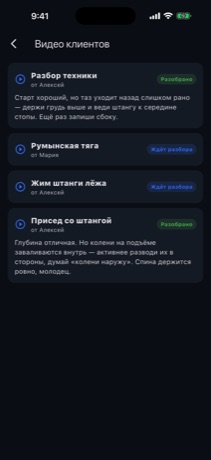
Incoming client videos: awaiting review or already reviewed.
The review: the client's video, a comment on form and a verdict.
A finished review with the verdict “Needs work”.
Once sent, the clip is marked “Reviewed”.
The upshot

The client sees the feedback

The coach's comment shows up right in the client's list of reviews — and the next video can be recorded.
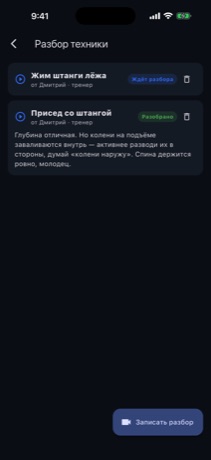
On the client's side: “Squat” with the coach's comment and a Record review button.

Try it yourself

Install the app and sign in with a demo account (or make your own). The demo logins below open the coach side and the client side.

Coach
[email protected] · Demo2026!
Client
[email protected] · Demo2026!
Download on the App Store